
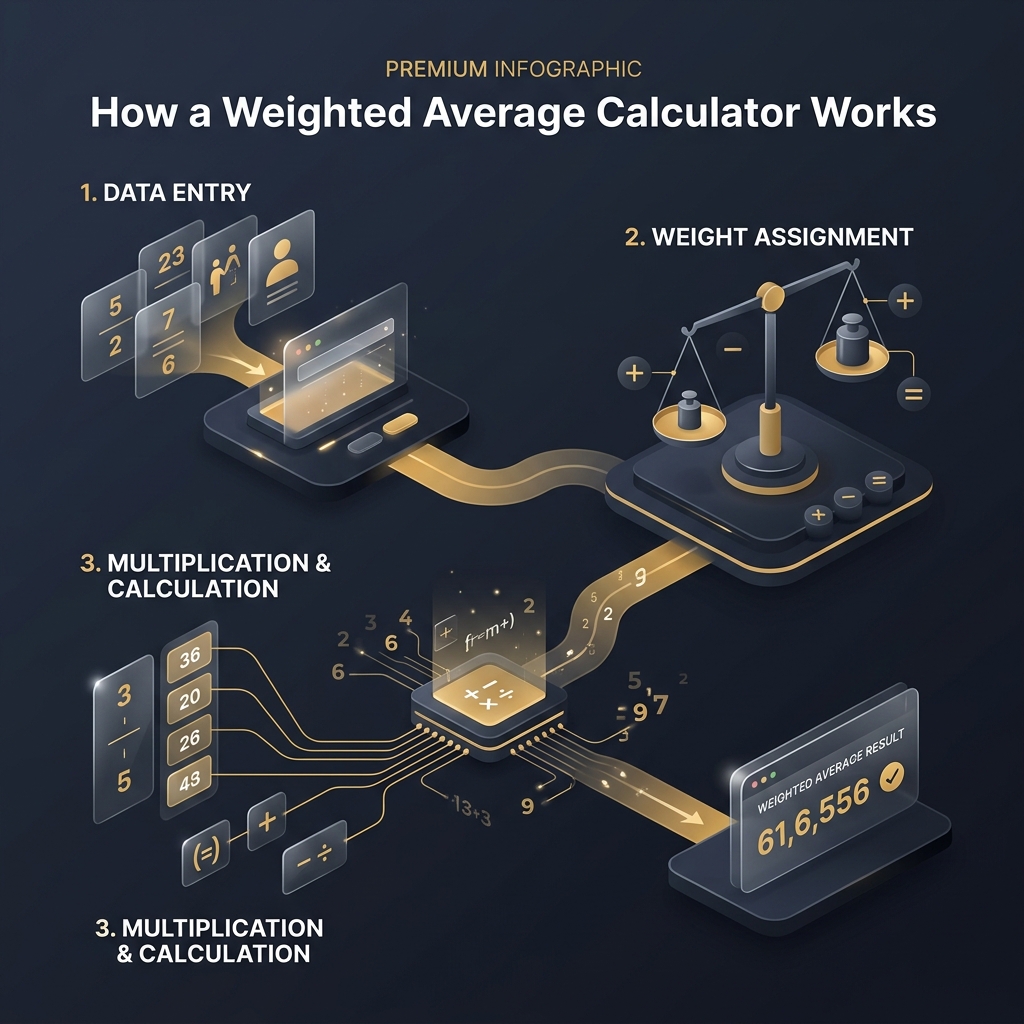
A friend once spent forty minutes recalculating a client's investment portfolio returns by hand. She got the weighted average right on the third attempt. A weighted average calculator would have done it in under two seconds. Here is the part most people never think about: what actually happens inside that calculator between the moment you enter data and the moment a result appears?
Understanding the internal mechanics gives you a real edge. You catch input errors faster, interpret results with more confidence, and know exactly why similar data can produce different weighted averages. This article pulls back the curtain on every stage of the process.
How Does a Weighted Average Calculator Process Your Data?
A weighted average calculator processes your data through a structured pipeline of reading, pairing, and computing operations. Each step depends on the one before it.
Reading the Values You Enter
The calculator scans every value field, reading each number exactly as typed. If you entered 88.5, it stores 88.5, not 89. This raw capture happens before any computation.
Reading the Corresponding Weights
Next, it reads weight fields in the same order. Decimals are preserved, negatives noted, and blanks flagged. Values and weights are treated as parallel lists that must align perfectly.
Matching Each Value with Its Weight
The calculator creates ordered pairs: first value with first weight, second with second, and so on. This pairing is the foundation of every calculation. Try our weighted average calculator to see pairing happen in real time.
Why Every Value Must Have a Matching Weight
The formula multiplies each value by its weight. A value without a weight cannot produce a product. When lists are uneven, the tool stops and identifies the missing pair, preventing silent errors.
Data Processing Pipeline
InteractiveWhat Inputs Does a Weighted Average Calculator Require?
Every weighted average calculator requires two parallel sets of numeric data: values and weights. Without both, the formula cannot function.
Numeric Values
Values are the measurements you want to combine: exam scores like 92 and 78, stock returns like 8.3% and 12.1%, or ratings like 4.2 and 3.8. The calculator accepts integers, decimals, and negative numbers.
Weight Values
Weights express relative importance. A weight of 5 means that value matters five times as much as weight 1. Weights are always positive, though zero is handled as a special case.
Accepted Weight Formats
The flexibility of accepted formats surprises many first-time users. Our weighted percentage calculator handles all formats seamlessly.
Whole Numbers
Weights like 1, 3, 5, or 10 are easy to understand. Credit hours in GPA calculations typically use whole numbers.
Decimal Weights
Weights like 0.25, 1.5, or 3.75 provide finer granularity for portfolio allocations and fractional representations.
Percentage Weights
Weights entered as 20, 35, or 45 work identically to any other number. The calculator simply uses whatever value you provide for multiplication.
How Does the Calculator Validate Your Inputs?
Input validation catches errors before they corrupt your results. The calculator runs multiple checks every time data changes.
Checking for Missing Values
The first pass scans for empty fields. If you left the second weight empty, the calculator flags that specific row.
Detecting Invalid Numbers
Typing "abc" or "12.5.3" triggers an invalid number error. The calculator uses strict numeric parsing that rejects invalid character sequences.
Matching Value and Weight Counts
Five values with four weights is an error. The calculator reports exactly how many entries are mismatched.
Handling Zero Total Weight
If every weight is zero, dividing by zero is undefined. The calculator blocks this with a clear message.
What Happens When an Error Is Found?
The calculator halts computation and displays a targeted error message pointing to the exact field or condition that caused the problem.
Input Validation Flow
DiagramHow Does the Calculation Engine Work?
The calculation engine follows a five-step arithmetic sequence that is mathematically identical every time.
Pairing Values with Weights
After validation, the engine creates ordered pairs. Value 1 joins Weight 1, Value 2 joins Weight 2, and so on.
Multiplying Each Pair
Each pair produces a product. A score of 90 with weight 4 produces 360. A score of 75 with weight 2 produces 150.
Creating the Sum of Weighted Values
All products add up: 360 + 150 = 510. This sum captures the combined weighted influence of every entry.
Calculating the Total Weight
All weights add up independently: 4 + 2 = 6. This serves as the denominator in the final division.
Producing the Final Weighted Average
The engine divides: 510 / 6 = 85.00. The weighted grade calculator applies this exact engine to academic scores.
Why the Order of Entries Does Not Affect the Result
Addition and multiplication are commutative. Whether you enter high scores first or last, the weighted average remains identical. You never need to sort data before calculating.
Live Calculation Demo
Try ItHow Does the Calculator Handle Different Weight Types?
The calculator treats every weight as a number, regardless of its conceptual origin.
Integer Weights
Whole numbers like 1, 2, 5, or 10. Credit hours and unit counts are typical integer weights producing clean, verifiable products.
Decimal Weights
Fractional weights like 0.3, 1.5, or 2.75 allow precision. The calculator handles them without rounding until the final output.
Percentage Weights
When you enter 40 and 60, the calculator multiplies and divides just as with 4 and 6. The weighted average stays identical because 40/100 equals 4/10.
Normalized Weights
Pre-normalized weights summing to 1.0 (like 0.5, 0.3, 0.2) are common in statistical modeling. Dividing by total weight of 1.0 returns the sum of products directly.
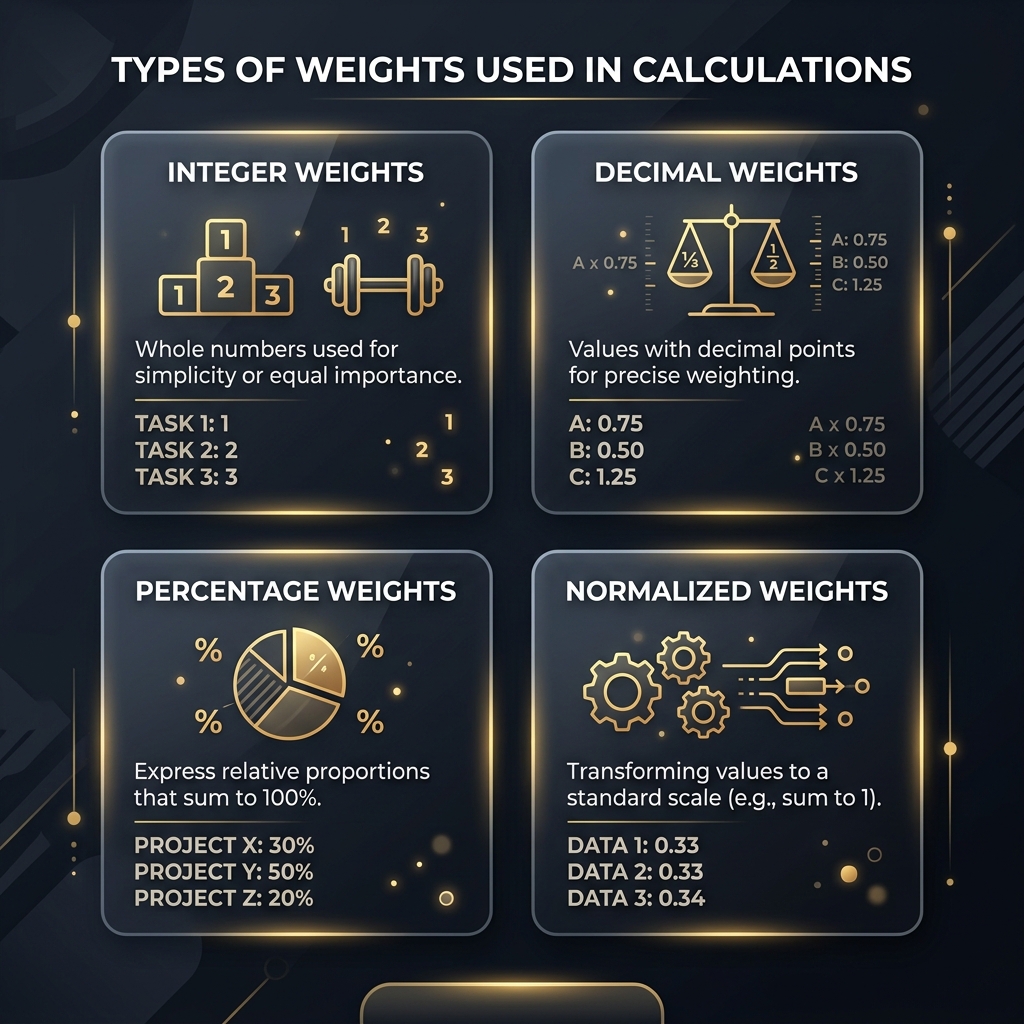
Different weight formats produce identical results when their relative proportions match
When Percentages Do Not Add Up to 100%
If you enter percentage weights of 30, 40, and 20 (totaling 90), the calculator divides by 90, not 100. The result is still valid because the formula self-normalizes.
How Does the Calculator Generate Instant Results?
Modern calculators use event-driven recalculation that fires the entire pipeline the moment any input changes.
Automatic Recalculation
Each input field is monitored. The instant you type a digit or paste a number, the calculator re-runs the full pipeline in milliseconds.
Updating Results After Every Change
Change a single weight from 3 to 5 and every dependent calculation updates immediately. You never see stale data.
Displaying Intermediate Totals
Good calculators show more than the final answer, displaying intermediate totals for verification.
Sum of Products
The numerator of the formula. Seeing this lets you verify each value-weight multiplication produced the correct product.
Sum of Weights
The denominator. Seeing the total weight confirms all weights were captured correctly.
Weight Impact Simulator
Live DemoDrag the slider to see how changing a single weight shifts the entire result:
How Does a Weighted Average Calculator Ensure Accuracy?
Accuracy comes from applying the same validated formula consistently and eliminating human errors.
Formula Consistency
The calculator uses one formula every time: sum of (value times weight) divided by sum of weights. The same inputs always produce the same output.
Automatic Precision
Quality calculators maintain full precision through intermediate steps and only round at the final display stage, typically to two decimal places.
Reducing Human Errors
Manual calculations invite transposition errors, missed multiplication steps, and arithmetic mistakes. The calculator eliminates all three. The weighted average calculator for statistics processes hundreds of entries without error.
Input Validation Rules
The validation layer catches bad data before the formula touches it, preventing results that look correct but are based on flawed inputs.
What Happens Behind the Scenes After You Click Calculate?
Five distinct operations execute in rapid sequence, typically under 50 milliseconds combined.
Input Collection
The calculator reads every field and converts text strings into numeric data types.
Data Processing
Validation checks run: missing fields, invalid numbers, count mismatches, and zero total weight. Only clean data passes through.
Formula Execution
Paired values and weights multiply. Products accumulate into a sum. Weights accumulate into a total. Division produces the raw weighted average.
Result Generation
The raw result is rounded to display precision. Supporting metrics like total weight and sum of products are prepared.
Output Display
All computed values render simultaneously without page reloads, creating an instantaneous experience.
How Does the Calculator Handle Special Cases?
A well-built weighted average calculator handles each edge case with clear logic and transparent messaging.
Duplicate Values
Two identical values with different weights are perfectly valid. The calculator treats each entry independently.
Negative Numbers
Negative values are valid in financial contexts. A stock that lost 5% is multiplied by its weight and the negative product included in the sum.
Zero Weights
A zero weight effectively excludes that value. The product becomes zero and the weight contributes nothing to the denominator.
Empty Fields
Empty fields trigger validation errors rather than being silently treated as zero, preventing accidental data exclusion. The weighted investment calculator uses this same approach.
Large Data Sets
Whether you enter 5 items or 500, the same formula applies. Performance stays fast because computation is linear.
Unsupported Input Types
Text strings and formatted numbers like "$1,000" are rejected during validation. Enter clean numbers for best results.
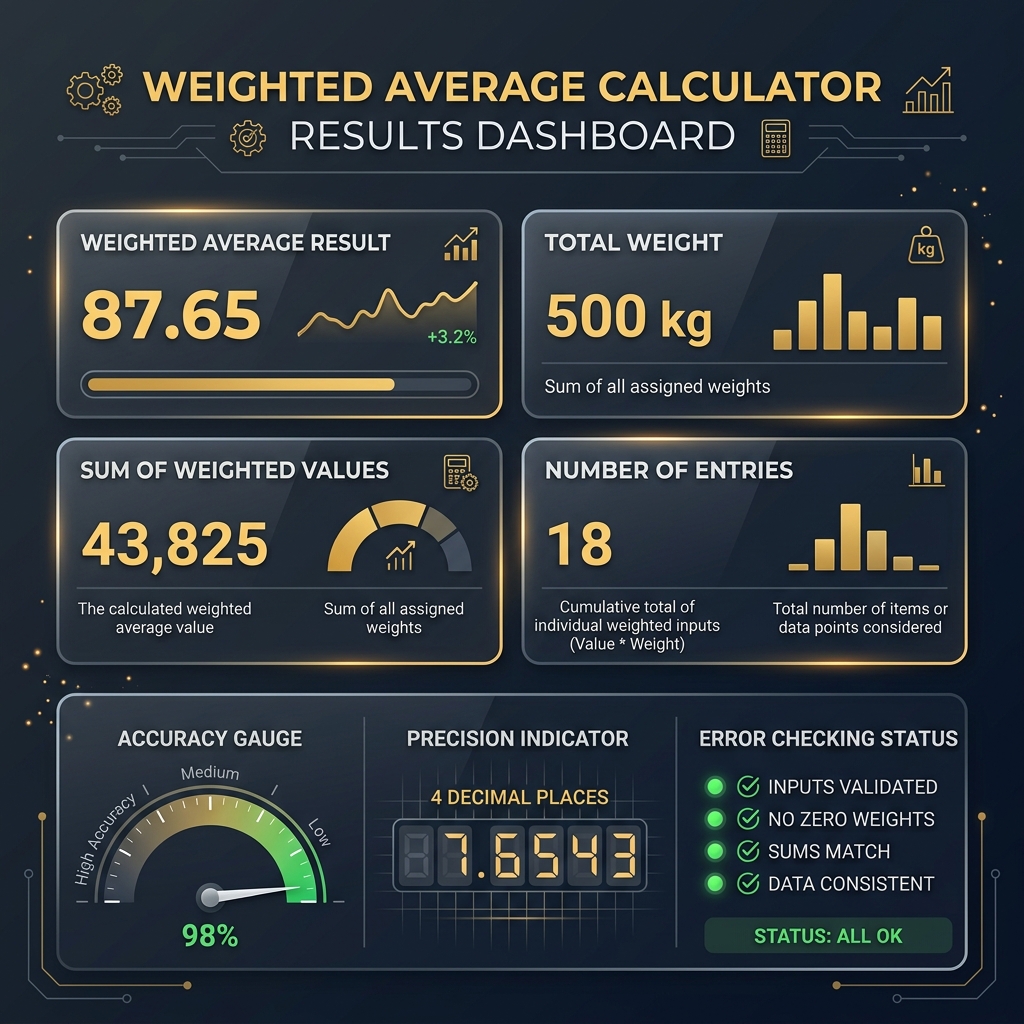
A complete results display shows the weighted average alongside supporting metrics for full transparency
How Does the Calculator Display the Final Result?
Quality calculators present a complete picture for understanding and verifying the computation.
Weighted Average
The primary output, displayed prominently with typical precision of two decimal places.
Total Weight
Confirms all weight entries were captured. If you expected 10 and see 8, two weight units are missing.
Sum of Weighted Values
The numerator before division. Advanced users check this to trace multiplication accuracy.
Number of Entries Processed
Confirms the calculator processed every row. If you entered 8 rows and count shows 7, you have a blank or invalid entry.
Understanding Each Output Field
Together, these outputs create a verification chain. Any discrepancy signals a data issue worth investigating.
Factors That Can Affect the Final Result
The quality of your result depends on factors you control: weight assignment, data entry precision, scale consistency, and rounding decisions.
Incorrect Weight Assignment
Assigning weight 10 to a minor quiz and weight 1 to a final exam flips the importance hierarchy. The calculator computes correctly based on those weights, but the result will not reflect reality.
Data Entry Errors
Typing 98 instead of 89 or 5.0 instead of 0.5 changes the result dramatically. Double-check entries before interpreting results.
Different Weight Scales
Mixing percentage weights (30, 40, 30) with raw counts (3, 4, 3) produces identical results since proportions match. But mixing 30% with a raw count of 4 creates inconsistency. Use one format per calculation.
Rounding Preferences
A weighted average of 85.4999 rounds to 85.50 at two decimal places but to 85.5 at one. In grading, that difference can determine a letter grade. Choose precision deliberately.
Value Contribution Breakdown
VisualFrequently Asked Questions
How does a Weighted Average Calculator calculate results?
It multiplies each value by its weight, sums those products, sums all weights, then divides. The formula is consistent every time.
Does the calculator calculate automatically?
Yes. Most modern calculators recalculate instantly when any value or weight changes. No separate button needed.
How does the calculator process percentage weights?
It treats percentages as regular numbers. Weights of 40 and 60 produce the same proportional result as 4 and 6.
Can the calculator work with decimal weights?
Yes. Decimal weights like 0.25, 1.5, or 3.75 are processed with full precision through all steps.
Why must every value have a matching weight?
The formula requires a value-weight pair for multiplication. Unmatched entries are flagged rather than guessed.
What happens if weights don't add up to 100%?
The calculator divides by the actual sum of weights, not 100. Any total produces valid results through automatic normalization.
Can the calculator handle zero weights?
Yes. A zero weight excludes that value. At least one weight must be non-zero to avoid division by zero.
Does the order of values matter?
No. Addition and multiplication are commutative. The weighted average is identical regardless of entry order.
How does the calculator check for input errors?
It runs four checks: missing fields, invalid numbers, mismatched counts, and zero total weight. Each provides a specific fix message.
Why is my result different from a regular average?
A regular average weights equally. A weighted average gives more influence to higher-weighted values. The difference grows with weight disparity.
Conclusion
Now you know what happens between entering data and seeing a weighted average. The calculator reads values and weights, validates them, creates pairs, multiplies, sums, divides, and displays a precise result with supporting metrics.
That entire sequence executes in milliseconds, producing the same result every time. It catches errors manual calculations would miss and handles edge cases with transparent logic.
Understanding these mechanics transforms you from a passive user into someone who can troubleshoot results and trust output with confidence. Ready to apply this knowledge? Open our weighted average calculator and watch the pipeline process your data in real time.